Maltego vs OSINT UI: Comparison & Best Alternative (2026)
Maltego vs OSINT UI comparison: differences, price, learning curve and when to use each. The Maltego alternative with nothing to install, right in your browser.
Maltego or OSINT UI? Both are open-source intelligence tools, but they solve the problem very differently. In this comparison you'll see their real differences —power, learning curve, price and installation— to pick the right one for your use case.
In one sentence
Maltego is a powerful desktop graph-analysis application for advanced investigations and complex visual correlation. OSINT UI is a web suite of ready-to-use tools that covers the most common OSINT needs with nothing to install and at a fraction of the cost.
Quick comparison
| Maltego | OSINT UI | |
|---|---|---|
| Format | Desktop app (install required) | Web, in the browser |
| Focus | Graphs + transforms | Ready tools by data type |
| Learning curve | Steep | Low (type a data point → report) |
| Language | English | Spanish & English |
| Price | Limited Community; expensive Pro/Enterprise | Free to start · PRO €9.99/mo |
| Best for | Advanced analysts, link analysis | Fast, practical investigations |
When to choose Maltego
Maltego shines when you need large-scale visual relationship analysis: mapping connections between entities (people, domains, infrastructure) in a graph, with its ecosystem of transforms. If you're an advanced analyst working complex cases and can invest time in the learning curve and budget in licenses, it's a great tool.
When to choose OSINT UI
OSINT UI is built to solve most OSINT investigations fast and friction-free:
- Nothing to install — runs in the browser, in English and Spanish.
- 18 ready-made tools: username, email, phone, domains, IPs, breaches, reverse image, metadata, cryptocurrency and more.
- Almost no learning curve: type a data point and get a report.
- Affordable pricing: free to start, PRO for €9.99/month.
- Per-user API keys, saved investigations and PDF reports.
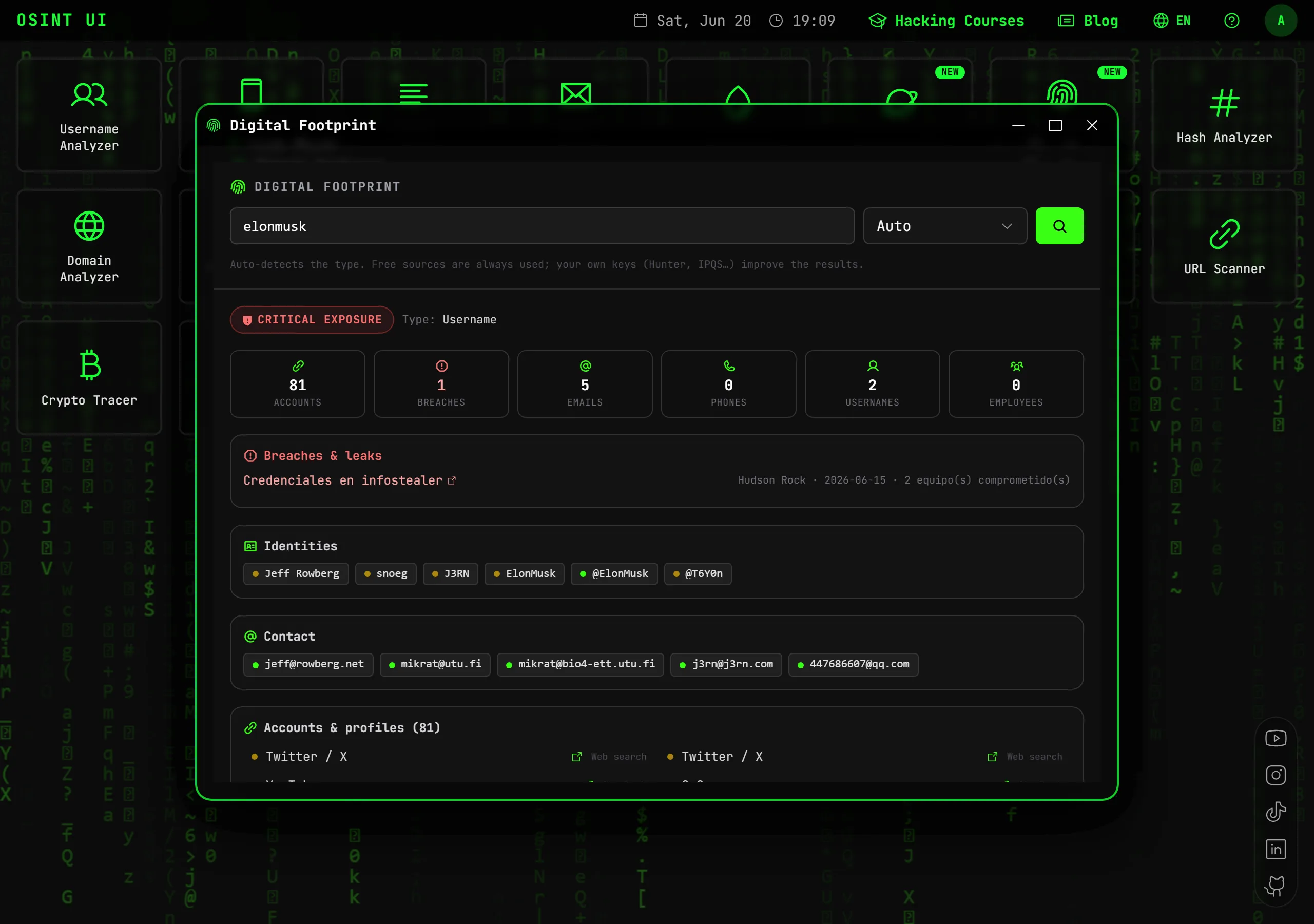
For most cases —investigating a person, an email, a phone number, a company or checking breaches— OSINT UI takes you from data point to result in seconds, without the complexity of setting up a graph environment.
Conclusion
It's not that one is "better" in the abstract: it depends on the use case. Maltego is unbeatable at advanced visual link analysis if you have the time and budget. OSINT UI is the best option if you want to cover the most common OSINT needs right now, in the browser and at low cost — the Maltego alternative for 90% of day-to-day investigations.
Try it free: open Digital Footprint or the Username Analyzer and see in seconds what would take you time to configure in other tools.
Frequently asked questions
What's the main difference between Maltego and OSINT UI?
Maltego is a desktop graph-analysis application with transforms, very powerful for advanced visual correlation but with a steep learning curve. OSINT UI is a web suite with ready-to-use tools (username, email, phone, domains, breaches…) with nothing to install.
Is there a simpler, cheaper alternative to Maltego?
Yes. OSINT UI brings together the most-used OSINT capabilities in the browser, is free to start, and its PRO plan costs €9.99/month, versus the high cost of Maltego's Pro/Enterprise licenses.
Do I need to install anything to use OSINT UI?
No. OSINT UI runs 100% in the browser, in English and Spanish, with no install or environment setup. Maltego is a desktop app that requires installation.
Does Maltego have a free version?
Yes, a Community Edition with limited features and transforms. Advanced capabilities and many data sources are paid.
Related articles
How to Find All Information About a Person Online (OSINT 2026)
OSINT guide to find all public information about a person online from a single data point: name, email, phone or username. Step by step and legal.
Read articleHow to Find All of Someone's Social Media Profiles (OSINT 2026)
Learn to find all of a person's social media profiles: by username, by email or by name. Instagram, TikTok, X and hundreds of platforms at once.
Read articleOSINT for Companies: How to Investigate a Company & Its Digital Footprint (2026)
OSINT guide for companies: investigate a company's domain, subdomains, public assets, breaches and digital footprint. For due diligence and cybersecurity.
Read articleHow to Search the Dark Web: Find and Verify .onion Sites (OSINT 2026)
Learn how to search Tor hidden services and verify .onion links safely: what the dark web is, how Ahmia indexes .onion sites, and how to check whether an onion is live without installing Tor.
Read articleTools for your investigation
Find a username's profiles across hundreds of social networks and platforms, verifying that each one exists.
OpenVerify an email's existence and reputation, its associated profiles and its presence in known data breaches.
OpenSearch for leaks of an email, domain, IP or phone across pastes, leaks, forums and the darknet with Intelligence X.
OpenUnlock the full OSINT suite
Go PRO and get Digital Footprint, Leak Check and all 17 professional tools, with no monthly limits.
🎟️ Use code OSINT50 and save 50% on your first month