How to Find All Information About a Person Online (OSINT 2026)
OSINT guide to find all public information about a person online from a single data point: name, email, phone or username. Step by step and legal.
Want to find all the public information about a person online? With OSINT (open-source intelligence) techniques you can rebuild someone's digital footprint starting from a single data point —a name, an email, a phone number or a username— completely legally. This guide walks you through the exact method investigators use.
What can you find out about a person?
By combining public sources, from a single identifier you can reach:
- Profiles on social networks, forums and online services.
- Real name, location and job (through enrichment and breaches).
- Associated emails and phone numbers.
- Data breaches they appear in.
- Photos and accounts tied to the same alias.
The essence of OSINT is pivoting: one data point leads to another. You start with a username and end with a name, an email and a photo.
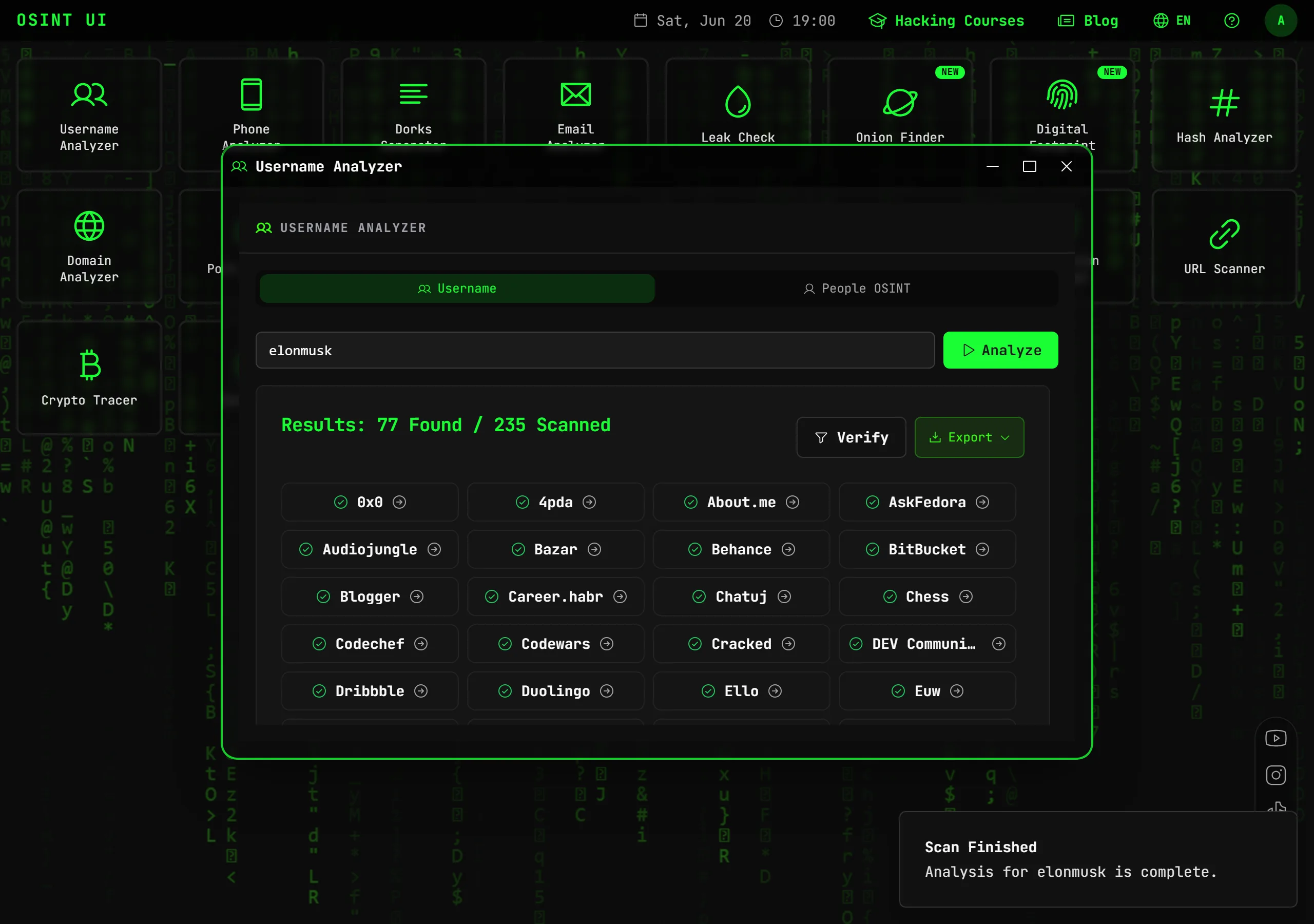
Step 1: start with the username
People reuse the same alias for years. Checking that username across hundreds of platforms at once reveals where they have a presence and often surfaces forgotten accounts.
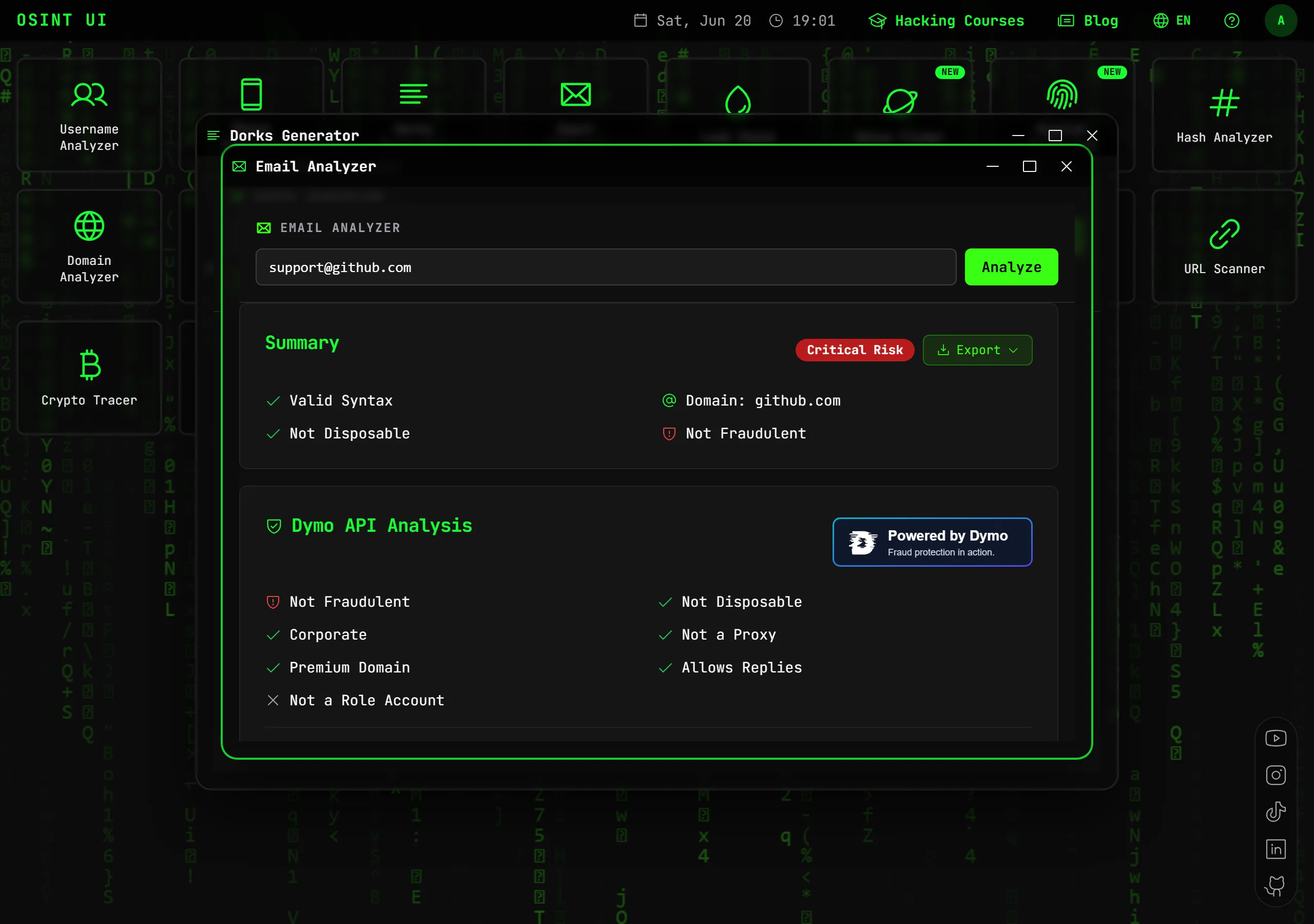
Step 2: investigate the email
An email is a rich selector: it reveals validity, associated accounts (Gravatar, social), breaches and, with enrichment, the real owner (name, location, job).
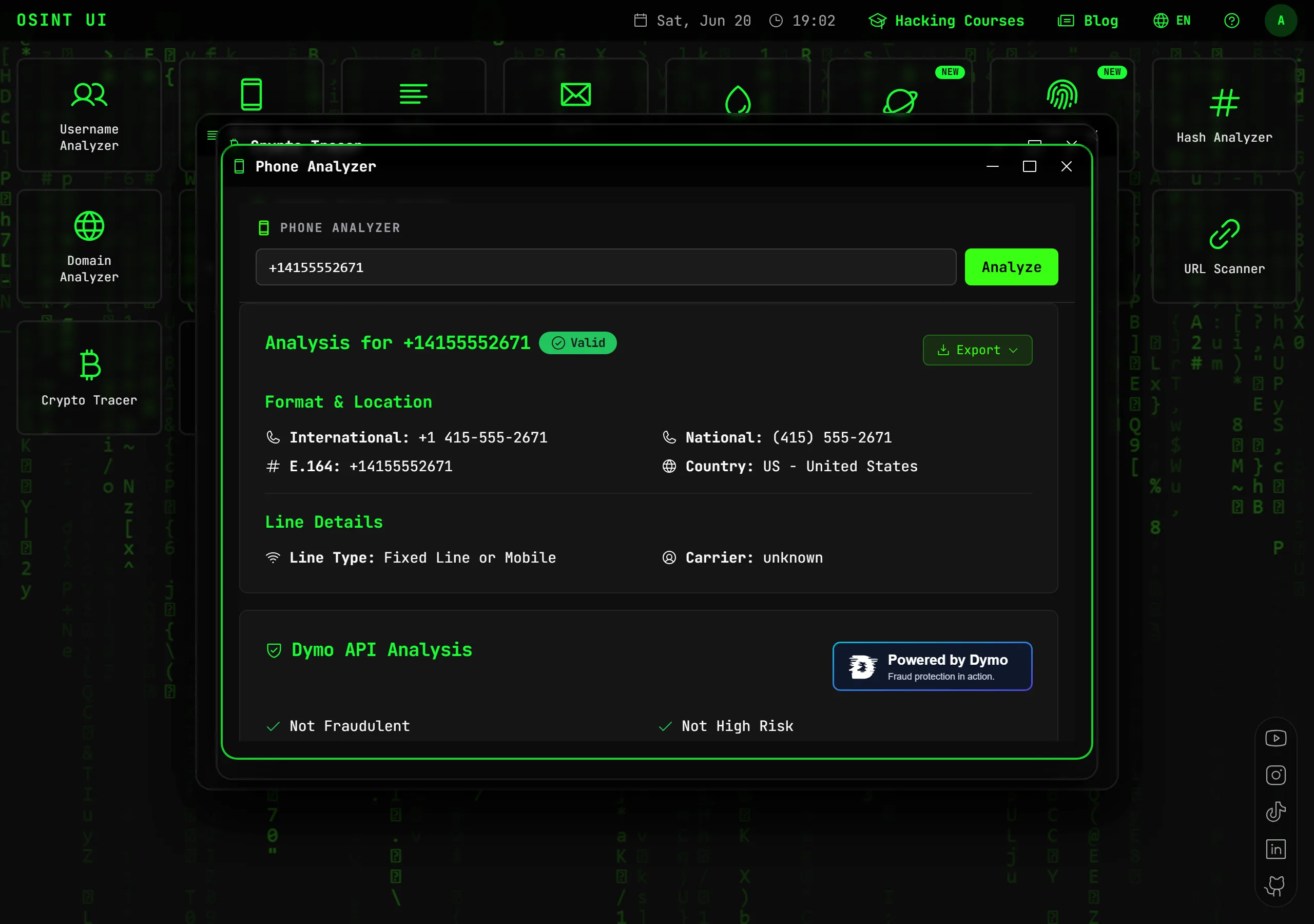
Step 3: analyze the phone number
A number provides country, carrier, line type and, cross-referenced with breaches and caller ID, the owner and other linked accounts (WhatsApp, Telegram).
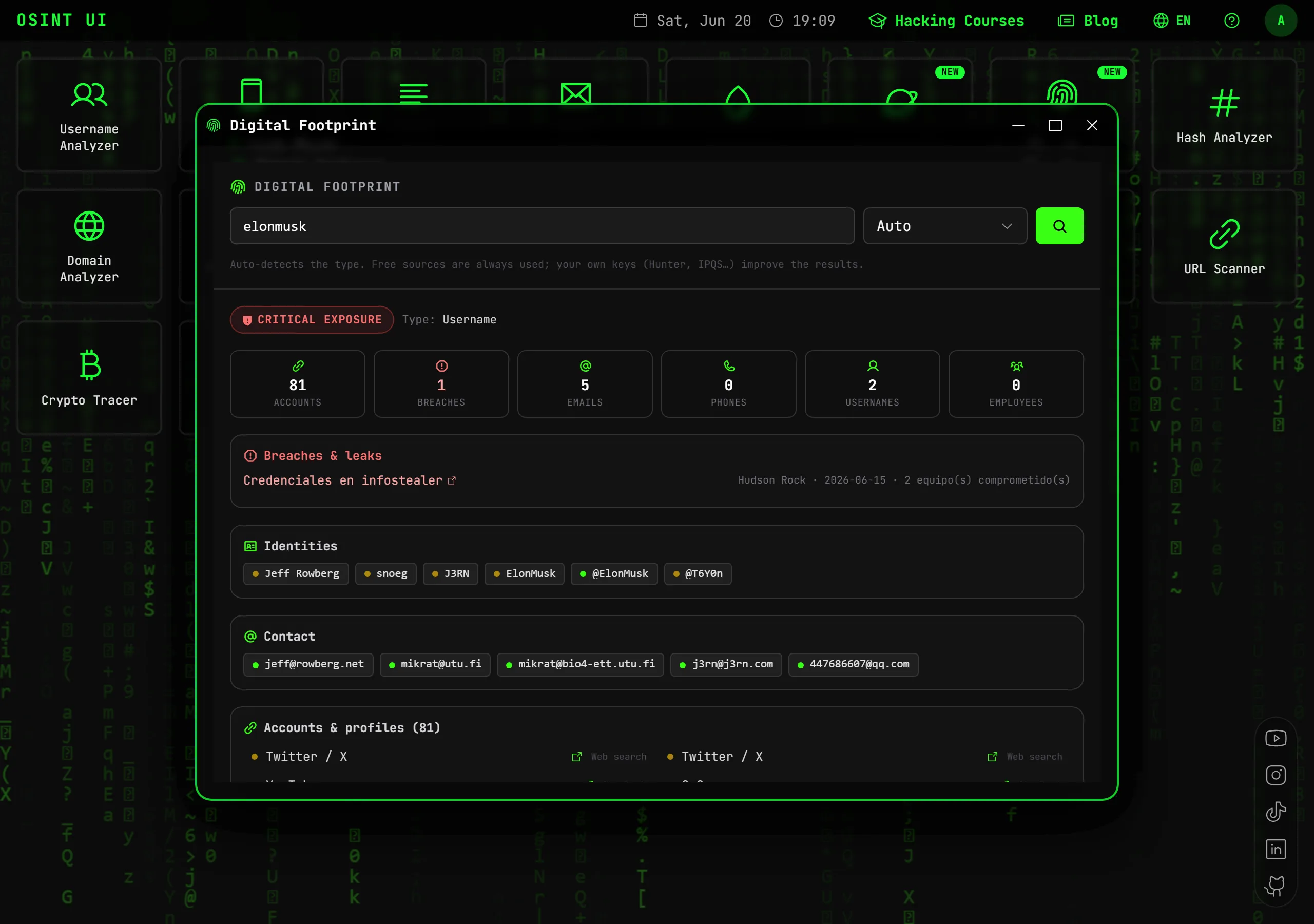
Step 4: correlate the whole digital footprint
Instead of going tool by tool, a meta-tool takes one data point and automatically correlates social networks, breaches, domains and owner into a single report.
Best practices and legal aspects
- Work only with public, legally accessible information.
- Don't access private accounts or use leaked credentials.
- Comply with GDPR and use the information for legitimate purposes: verification, anti-fraud, due diligence or personal protection.
- Never use this data to harass or impersonate.
Conclusion
Finding "all" the information about a person online isn't magic — it's method. You start from one data point (username or email is usually best), pivot toward phones, social networks and breaches, and correlate everything into a coherent profile. With the right tools, a process that used to take hours happens in minutes from your browser.
Start free: try the Username Analyzer or Digital Footprint and rebuild anyone's digital footprint in seconds.
Frequently asked questions
How do I find information about a person starting from just their name?
A name alone is ambiguous, so you combine it with a second data point (city, company, email or username) and use Google Dorks and social-profile search to locate their accounts. From there you pivot to email, phone and digital footprint.
Is it legal to look up information about a person online?
Yes, as long as you use only public information for legitimate purposes (verification, fraud prevention, due diligence, reconnecting). It is not legal to access private accounts, use leaked passwords or harass.
What is the best data point to start a people investigation?
Username and email are the best starting points: they are reused for years and connect to dozens of platforms and breaches. With either one you can rebuild much of a digital footprint.
Can I find out who an email or phone number belongs to?
Often yes: via Gravatar, data breaches, associated accounts and person enrichment you can reach the owner's real name, location, job and social profiles. Accuracy depends on their public exposure.
Related articles
How to Find All of Someone's Social Media Profiles (OSINT 2026)
Learn to find all of a person's social media profiles: by username, by email or by name. Instagram, TikTok, X and hundreds of platforms at once.
Read articleHow to Know If Your Email Has Been Leaked or Hacked (2026)
Check whether your email appears in data breaches and security leaks. A step-by-step guide to detect exposed passwords and protect your accounts.
Read articleHow to Investigate an Email Address with OSINT (2026 Guide)
Learn how to investigate any email address with OSINT techniques: email verification, data breach search, associated account discovery and domain analysis — legally and professionally.
Read articleHow to Find Someone by Their Username (2026 OSINT Guide)
Trace anyone's digital footprint with OSINT techniques: username search across social networks, advanced Google Dorks and profile analysis — legally and professionally.
Read articleTools for your investigation
Find a username's profiles across hundreds of social networks and platforms, verifying that each one exists.
OpenVerify an email's existence and reputation, its associated profiles and its presence in known data breaches.
OpenSearch for leaks of an email, domain, IP or phone across pastes, leaks, forums and the darknet with Intelligence X.
OpenUnlock the full OSINT suite
Go PRO and get Digital Footprint, Leak Check and all 17 professional tools, with no monthly limits.
🎟️ Use code OSINT50 and save 50% on your first month